Tomte lives in the top edge of your screen.
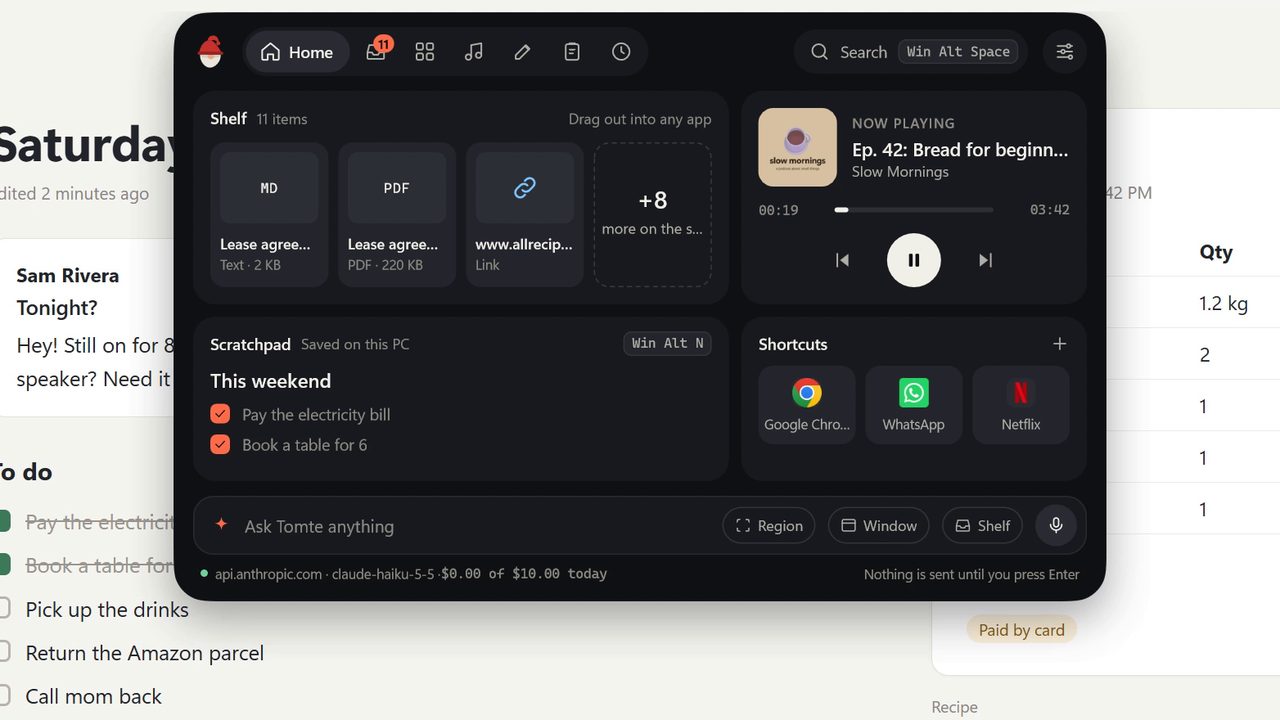
Push the pointer up, press a hotkey or drag a file there, and it opens on Home: your shelf, what is playing, your note and your shortcuts in one view. The rest of the time it draws nothing, takes no space and never steals focus.
Free and open source · Windows 11 22H2 or later
Up there, without any AI
Everything here works with no account and no key.
Shelf
Park files, text and links while you work, then drag them out into any app. Pin the ones you reuse so they stay after you drag them out, and filter by files, text or links.
Shortcuts
Tiles for the apps, folders, web pages and scripts you open all day.
Media
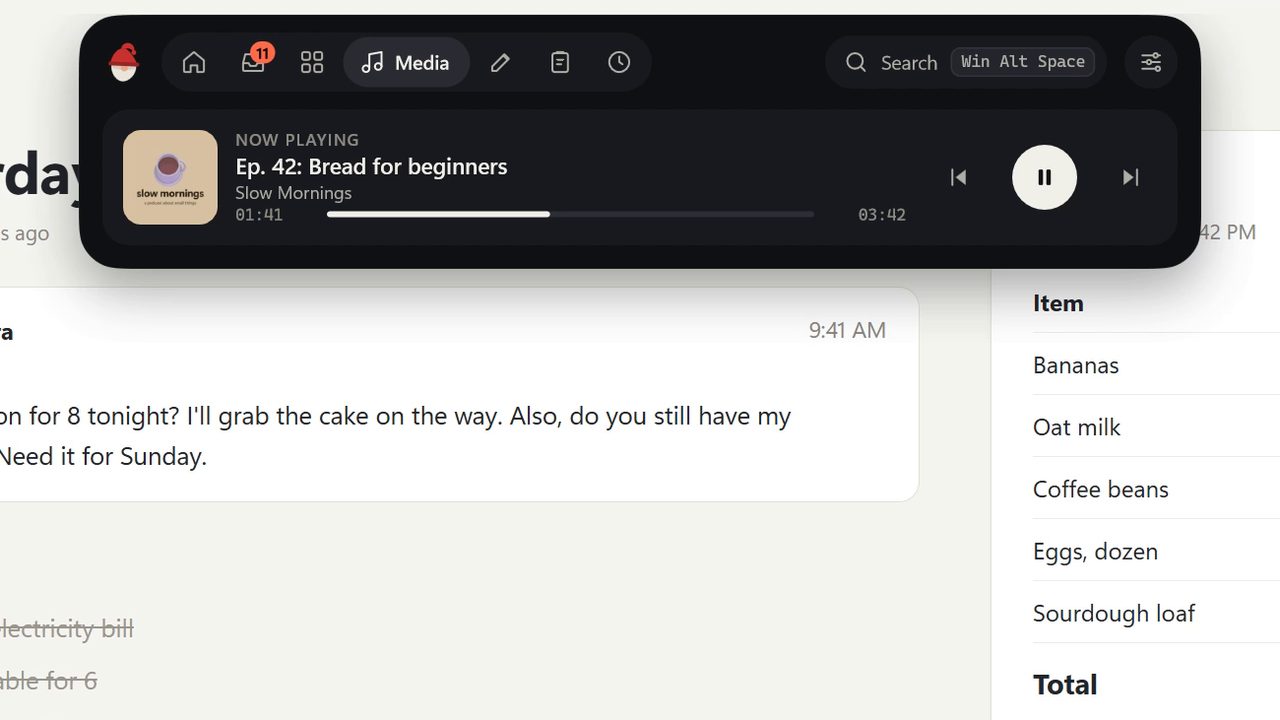
Play, pause, skip and seek whatever is playing, in any app.
Scratchpad
One note for lists and loose thoughts, Win+Alt+N away. It shows formatted, and you can tick its checkboxes with a click.
Clipboard history
Turn it on to keep the last 50 bits of text and 50 images, with a preview, a filter and pins for the ones you paste often. Anything a password manager marks private is never kept.
Search
Apps, files and Windows settings from Win+Alt+Space, with the best match on top. Uses Everything when it is running.
Timers
A ring in the pill counts down while you get on with things.
Fits your taskbar
The island follows the taskbar's dark, light or accent colours. Pick the accent, and how it waits on an empty desktop: a small tomte, a thin lip, a pill or a corner.
Music gets its own little pill.
When something starts playing, a small pill shows the track. Click it for the controls, or see it on Home next to everything else.
It hides over fullscreen apps, games and the lock screen.
AI, if you want it
Add your own key for Anthropic, Google Gemini or any OpenAI-compatible server, including Ollama on your own PC. Nothing is sent until you send it, and every answer says where it went and what it cost.
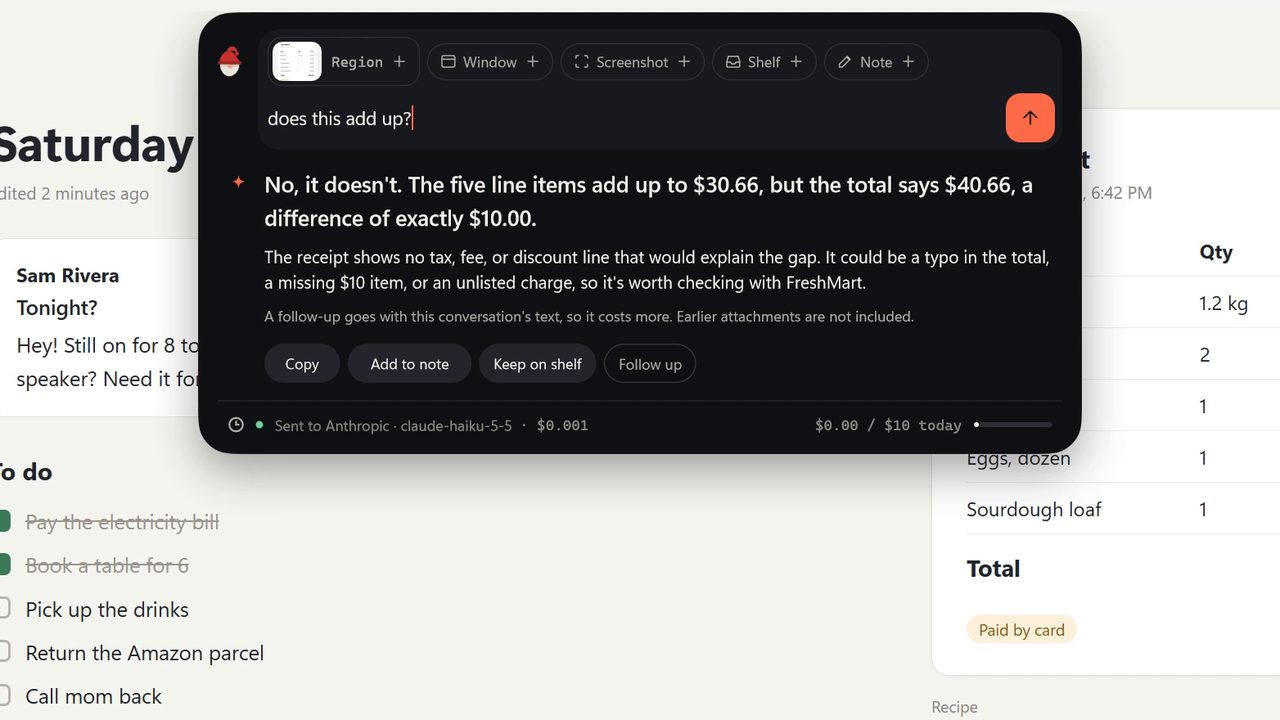
Circle anything and ask.
Draw around part of the screen and ask about it. The region sits in the prompt as a chip, next to any window, shelf file or note you add.
Win+Alt+C
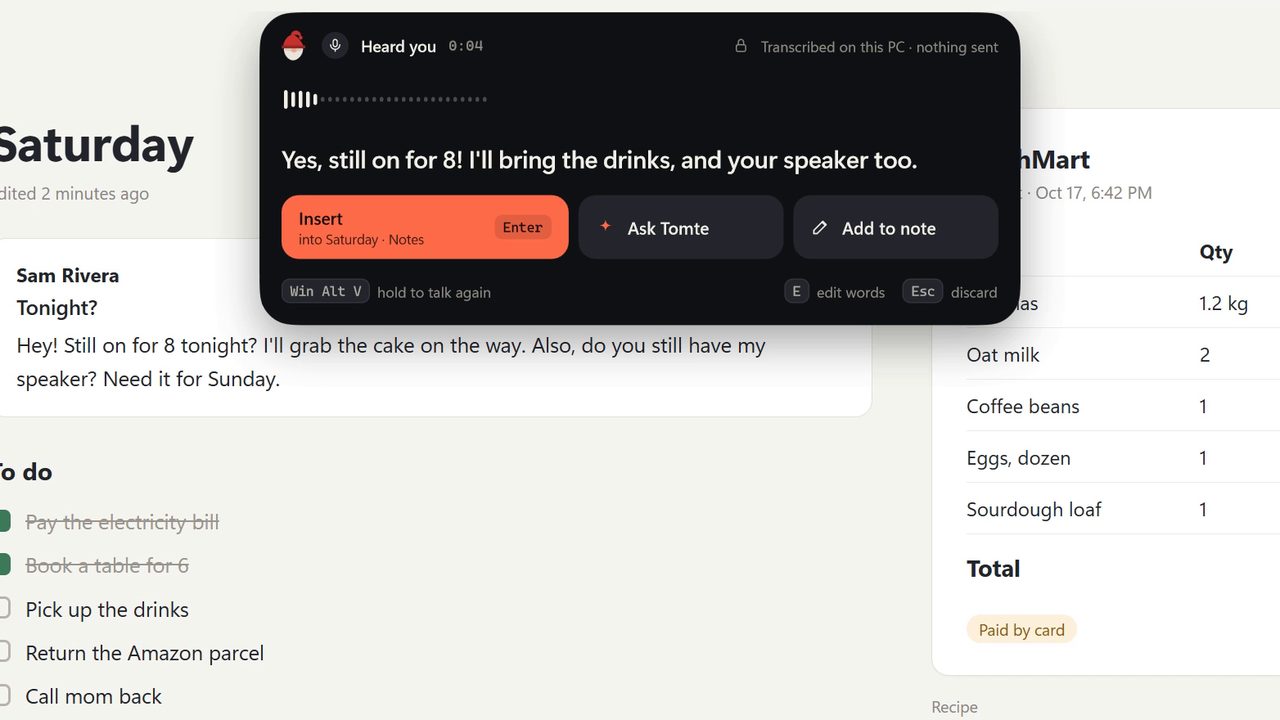
Hold a key, talk, let go.
The words are typed where you were typing. Want to fix a word first? Press E on the card to edit. Speech turns into text on your PC with whisper.cpp, so this part needs no AI at all.
Hold Win+Alt+V
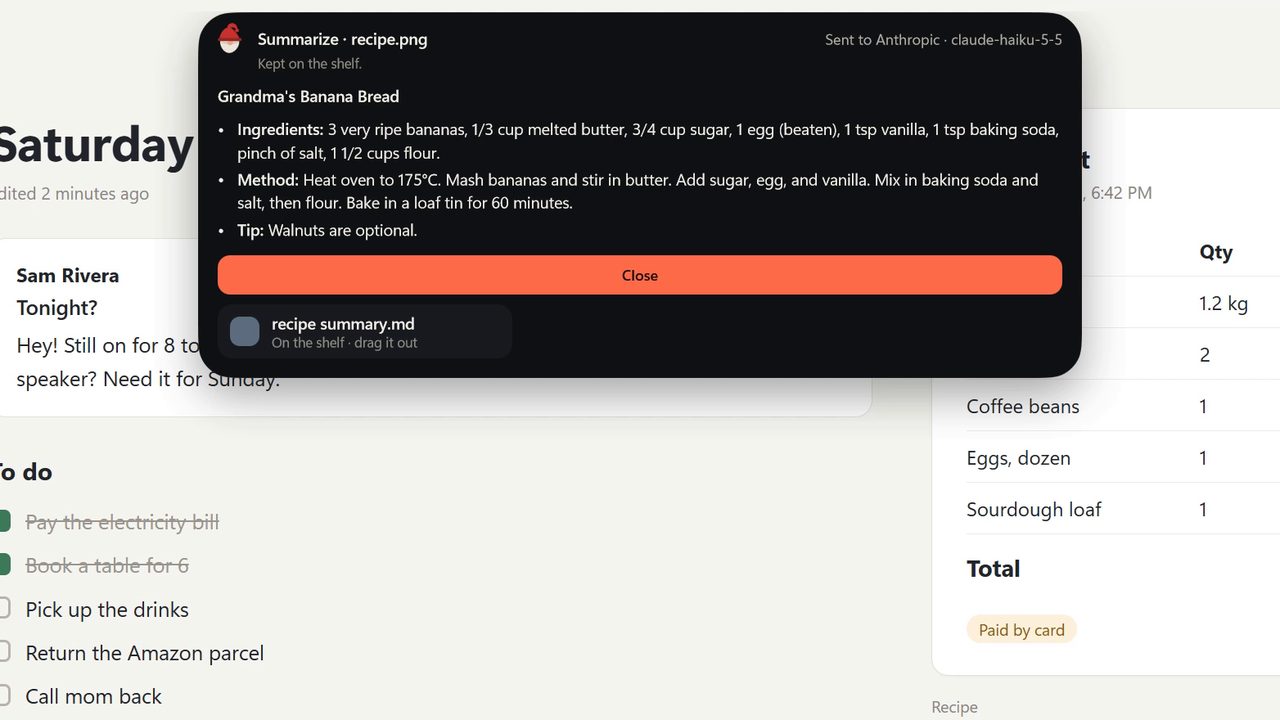
Drop a file on the top edge.
Drop it on the pill and it goes on the Shelf. Hold it there for a moment instead and the drop zones open: Summarize, Ask, Tables to CSV or Rename. The result lands on the Shelf as a file you can drag out again.
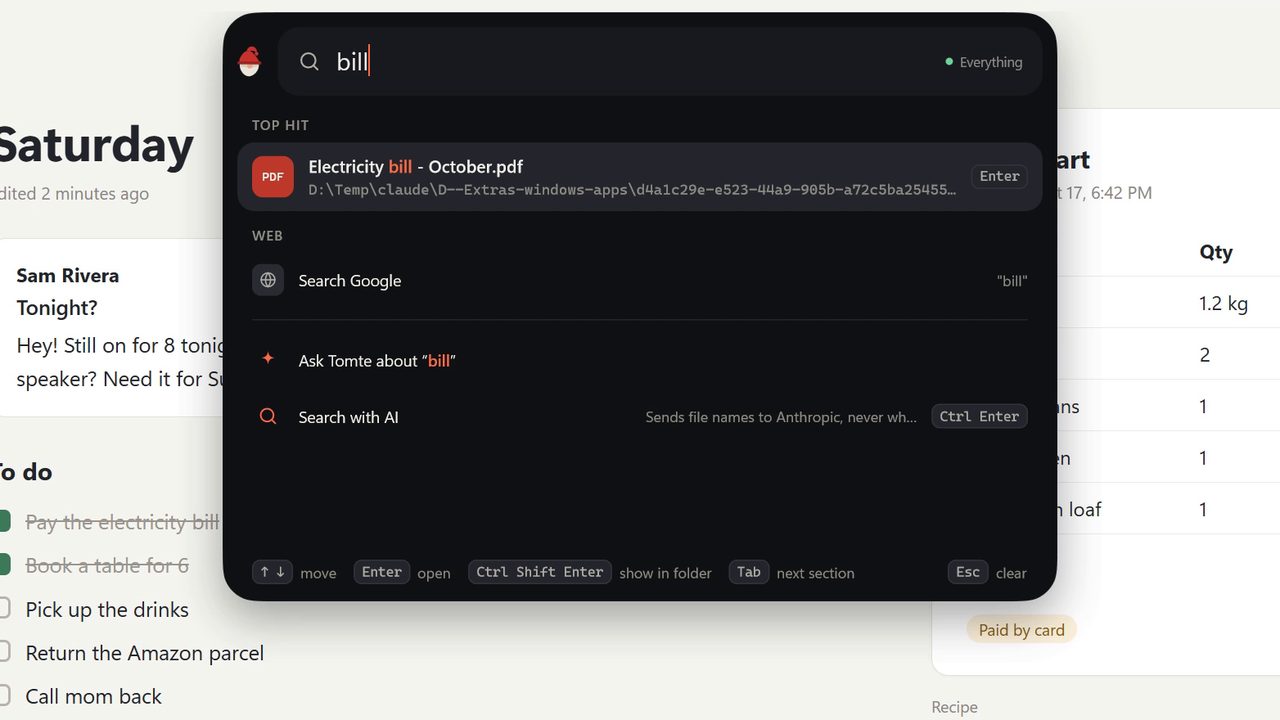
Or just ask the search box.
Type a question and press Enter: when it reads like a question, Ask Tomte is the first row. Closed an answer by mistake? Win+Alt+Z brings it back without sending it again.
It can also read PDF and Word files, change settings like dark mode or volume (it asks before each one), use MCP servers and Agent Skills, and run jobs on a schedule you confirm.
Your things stay on your PC
No account, no tracking
There is no sign-in, no analytics and no update check. Tomte doesn't phone home.
Stored on your PC
Your shelf, note, clipboard and AI history live in one file in your user folder. API keys go in Windows Credential Manager.
Sent only when you send
An AI request goes straight from your PC to the provider you picked, with only what you chose to include.
Six hotkeys
| Win+Alt+I | Home and the panels |
| Win+Alt+Space | Search |
| Win+Alt+A | The AI box |
| Win+Alt+C | Circle to ask |
| Hold Win+Alt+V | Voice |
| Win+Alt+N | Scratchpad |
All of them can be changed in Settings, and Esc closes whatever is open.
Get Tomte
Windows 11 22H2 or later, on x64.
winget and GitHub
The Store build from the command line, or the .msix file from GitHub.
Free, and staying that way
Tomte is open source under the MIT license. If it saves you time, you can help keep it going.